
Showing posts with label technology. Show all posts

Wednesday, March 9, 2022

SARCNET (a.k.a. School Amateur Radio Club NET)

(Guest Post: Jeffrey A. Meyer is a Radio Amateur and Model Railroader, and Retiree currently residing in Painesville, Ohio.)


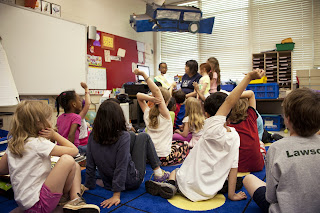
SARCNET opens up the average classroom to an entirely new way to offer, conduct, coordinate and teach classroom STEM topics. They have accumulated fun, relevant, and practical lesson plans to teach elementary school-aged kids STEM topics for grades 3-6.

If your school doesn’t have something like this, your kids are really missing out. You also need to know that there are less than fifty programs like this in elementary schools nationally.

First and most importantly, I’m not here to tell you how to manage your classroom or how to practice your craft. You are the professionals, it’s your territory and you deserve both the praise and the respect that goes along with that level of responsibility.

TEACH ALONE OR AS A TEAM?

What I am proposing is that you don’t always have to do all the teaching alone. By approaching some teaching opportunities as a team, the employed teacher doesn’t have to be the subject matter expert, so the “other half” of the team could actually be recruited from hobbyists in Amateur Radio, Model Railroading, etc., as well as aviation and a host of other interesting STEM relevant professions.

Now take this tag-team approach and designate the non-teacher to be a local Amateur Radio hobbyist. The Radio Amateur would bring the needed practical side of the hobby, i.e. radio science, electronics, kit and antenna building, propagation, communication skills, project management, decision making, etc.

This collaborative approach, coupled by using a hobby (Amateur Radio), to explain and supplement classroom learning, is exactly what we are talking about. This is SARCNET.

HISTORY

SARCNET started back in 2015 when an elementary school librarian noticed some kids weren’t interested in playing kickball at lunchtime and thought these kids may be more interested in doing something else. Being a Radio Amateur herself, she brought her radio in, introduced it to the kids and SARCNET was born. What started out as an easy lunchtime diversion, has now expanded to six schools and two countries with a host of lesson plans and activities that are pure genius.

The kids learn Morse Code, radio communication protocols, assemble electronic kits, talk to the entire world, seamlessly learn geography, build solar and microcontrollers to both monitor power output and control plant growth, build antennas, search for sources of radio interference, locate hidden transmitters (aka “Fox Hunts”), manually track satellites, etc…..

The kids love it, the parents support it and the principal (Michael Day, St. Kevin’s Primary School, Ormond, Victoria, Australia) had the following to say about it:

“It is interesting that in this day and age of mobile broadband networks and social media that Amateur Radio, the pioneering radio hobby of the last century, would be an excellent way of introducing science and technology to young children today. Amateur Radio enthusiasts are an amazing, untapped resource for educators. They are hidden away in every community and can provide their own equipment and expertise. They also have a zeal to pass on this technology to the next generation. So this largely free and enriching collaboration, between the schools and the Amateur Radio fraternity, is a classic win-win situation.

When I first introduced the school Amateur Radio club at St. Kevin's Primary School in Ormond Victoria, I had no idea what a success it would be. We were lucky to have an Amateur Radio enthusiast within our ranks, so the introduction was initially driven by this staff member. The teachers, parents, and students are now raving about it. To see the children confidently building electronic kits or talking to other schools over shortwave radio is quite incredible. I am now exploring ways to expand this program. The following article, by Julie and Joe Gonzales, (our staff member and her husband) introduces the modern world of Amateur Radio. It explains how they set up Amateur Radio clubs at three primary schools in Melbourne and it provides all the information needed for other schools to get involved.“

ANOTHER ELEMENTARY SCHOOL USING AMATEUR RADIO IN THEIR STEM CURRICULUM

Now let’s turn to W. B. Beam Intermediate School in Cherryville, NC, and what they started in 2021. One of the school’s 4th-grade teachers there, Mark Reep, is also a Radio Amateur and he set up an Amateur Radio Club. I personally spoke to him in February of 2022 and with a total school enrollment of 200 students, he already has 77 of them actively participating in it, right now. That’s nearly forty percent of the total enrollment!

Why are these programs so popular? Plainly speaking, the kids find the topics interesting, relevant, valuable, and most of all, fun. As a teacher, this is possible anywhere in the U.S. and why not in your school?

As a teacher, using a team approach can reduce your stress, better connect you to your community, is likely to be FREE of charge, and offers a win-win-win for everyone involved. By partnering with any hobbyist or other relevant occupational professional, it’s a win for you, a win for the volunteer, and most of all, a larger life-changing win for your kids.

After all, it does take a Village and both hobbyists and professionals are just waiting for the chance to help you and make a real difference for the kids.

Your Fellow Villager,
Jeffrey Meyer
Painesville, OH

Photo by CDC on Unsplash

Tuesday, January 18, 2022

Day of AI

I had never heard of this so when I read about it, I found it intriguing. I thought you might be interested in this free event also. Please read the info below and consider registering for this.

“Day of AI is May 13, 2022 when K-12 students across the country will engage in a series of freely available hands-on activities designed to introduce them to Artificial Intelligence (AI) and how it plays a part in their lives today. (Why did that YouTube video appear on my screen? What is a deepfake? How did my phone recognize me?)

All Day of AI activities are designed to be taught by educators with little or no technology background and to be accessible to students of all backgrounds and abilities, including those with little or no technology experience. The only requirements are an internet connection and a Chromebook or laptop.

Day of AI activities are organized by age group and can be run in 30 minute to 1 hour time blocks. Up to 4 hours of lesson plans are provided for each grade band and teachers can choose to run any number of the lessons provided. Projects will be shared through the entire Day of AI network with a series of popup events across the country.

Any teacher looking to bring Day of AI to their classroom can sign up on the registration page to download the curriculum and lesson plans and schedule one of the free two hour online professional development workshops offered at different times from December 2021 – April 2022. Professional development workshops are optional with teachers attending the training receiving a certificate of completion for possible PD credits.”

Tuesday, December 7, 2021

My Father’s Birthday

My father is celebrating his birthday in heaven today. I hope he is looking down and smiling on us as we think about him today.

My dad was over 100 years old when he passed away and this had me thinking about how many changes he had experienced in his whole life.

Here are some events and technological advances that he had lived through:
  • The Great Depression
  • WWII
  • The Polio epidemic
  • The Korean War
  • The Vietnam War
  • HIV and Aids
  • The Iraq War
  • War in Afghanistan
  • Death of a child
  • Death of a wife in 1989
  • Death of a wife in 2019
  • Black and White Television
  • Television in color
  • Telephones
  • Cell phones
  • Smart phones
  • Computers
  • Burglar alarms
  • Automatic driving cars
  • Electric doors and windows in cars
  • GPS in cars
  • GPS on phones
  • Clothes dryers in the home
  • Microwaves
  • Automatic Icemakers in the freezer
  • Bread Makers
  • Radios in the home
  • Car radios
  • Cassette tapes and Cassette tape players
  • CDs and CD players
  • VCRs
  • DVDs and DVD players
A lot had happened just in his lifetime! It makes me wonder what my lists will be like.


Happy birthday Pa! We miss you!

Original photos by Pat Hensley

Tuesday, April 6, 2021

East Asian Women Leaders in Educational Technology

In What I’ve been up to: Silver Lining for Learning by Dangerously Irrelevant, Scott McLeod, shares about the Silver Lining for Learning initiative and lists Year 1 episodes that are available on YouTube. He explains,

“The initiative was meant to highlight interesting technology-enabled learning around the world and to spark some discussions about schooling possibilities during the pandemic and afterward.”


Over the past year, I have been going to the Silver Lining for Learning website where the episodes are listed or you can go to their YouTube channel and subscribe. You can also attend the live YouTube meetings.

“Silver Lining for Learning is an ongoing conversation on the future of learning with educators and education leaders from across the globe. Hosted by Chris Dede, Curt Bonk, Shuangye Chen, Punya Mishra & Yong Zhao, these conversations began under the “dark cloud” of the COVID19 crisis and continue today. We see these conversations as space to discuss the creation of equitable, humanistic and sustainable learning ecosystems that meet the needs of all learners. These conversations are hosted live on YouTube every Saturday (typically 5:30 PM Eastern US time) and are archived on this website.”

I thought since violence against Asians has been in the news along with this past month being National Women’s Month, I would share a recent episode about East Asian Women Leaders.

Episode 52 | Reaching Out and Reaching In | East Asian Women Leaders in Educational Technology

They explain the episode as:

“This episode will explore the recent projects and initiatives of three East Asian educational technology leaders, Insung Jung, Ok-hwa Lee, and Meifeng Liu, within their home countries of Japan, Korea, and China as well as their work around the globe. What have they each done during the past few years? What have they each discovered? And where will they go next? This session will also highlight what the governments in Japan, Korea, and China have been targeting since they start of the pandemic and the associated successes and failures. What insights do these prominent woman leaders have for the world community as well as for young female scholars in the field of educational technology and distance education?”

It is a fantastic episode and very interesting. I hope you take the time to check it out.

Wednesday, July 25, 2018

Scavenger Hunt with Goose Chase

Here are my notes for another session that I attended at the Upstate Technology Conference. This was a fun and active session!


Scavenger Hunt with Goose Chase

“Looking for ways to gamify your lessons? Learn how to harness the power of the chase with Goose Chase! This application is a platform that makes setting up, executing, and monitoring a scavenger hunt easy and paperless. Students work in teams or individually to complete missions set up by the teacher. These missions can include pictures, videos, or text submissions. Teachers will learn how to create a hunt and missions as well as see examples of student work. This session will teach you how to blend together the fun of a scavenger hunt with technology that is both student and teacher friendly! This session is for any subject area and/or grade level. Technology needed for the session: a computer and mobile device.”

Presenter: Logan Wright  (Twitter: @teachwright233)

We did a sample scavenger hunt so we could see how the game is played. This really helped to experience it before I tried to make one. Plus it was a great way to meet other people I didn’t know.

·      Up to 3 Teams
·      Unlimited Missions
·      Real-Time Activity Feed
·      Automatic Scoring
·      One-Click Submission Download
·      Email Technical Support
·      Limit of 1 Live Game at a Time

·      All Uses/Game Types Acceptable
·      Unlimited Games
·      Unlimited Classes
·      1 Live Game
·      Up to 5 teams (per team game)

Adding location and password is optional

Show results to class when finished.

Easy to add or subtract points.

User agreement – you do not need to make a student account; can play as a guest. The teacher must have an account. Age 13 and up.

If under 13:
·      They cannot use their own mobile device.
·      Must be a school-provided device.
·      Use a generic account (guest).
·      No personal info should be uploaded about that individual.
·      Make sure you have consent from a parent.

You set up the start and stop time or set it up as automatic where you pick the day and time.

My Take Away: This is a fun and exciting way to engage learners. I think it would also be a great way to assess students. Even though there may be 5 teams, I could add a challenge specific to each team member. They could redo the mission over several days and complete a different task for the team than they have already completed. It is also a great way to apply their learning to real-life situations. The best part that I like is that they have to have “evidence” in the way of a photo or video. Not only would this be fun in the classroom but also as a family activity too!

Original photo by Pat Hensley


Tuesday, July 24, 2018

Google Nuggets

Here are my notes from another session I attended at the Upstate Technology Conference. 

Google Nuggets

“You may be using Google Classroom, Docs, Sheets, Slides and Sites regularly, but there are a lot more free tools out there from Google than you might not be aware of. We will spend this hour exploring Google sites, programs, functions and applications you may not be familiar with and will discuss how to implement them into lessons. Bring your tech to this one!”

Presenter: Kim Wylie (Twitter: @kimwylie_MMS)

Daily challenge: http://www.agoogleaday.com/

Add-Ons – extensions on Google Chrome

Google Docs:  Add-ons link – Get Add-Ons; demonstration of add-ons

Google Scholar - https://scholar.google.com/

Google Keep – digital notepad

Google Maps – My Maps – make your own map with points of interest


Voyager – “You can tour the world and learn about other countries using Voyager. Voyager is a collection of map-based stories written by Google Earth partners that’s updated weekly. You can see Guided Stories, or tours, on topics like travel, culture, nature, and history”; Go to Google Earth, click on menu bar on left, click on Voyager.


Google Arts & Culture – search for works of art in different ways


Be Internet Awesome: https://beinternetawesome.withgoogle.com/en “To make the most of the Internet, kids need to be prepared to make smart decisions. Be Internet Awesome teaches kids the fundamentals of digital citizenship and safety so they can explore the online world with confidence.”


My Take Away:
I learned about some Google Apps that I haven’t known about or really tried before. I’m excited about looking at some of these more in depth. I’m very interested in that Google Tour Builder and want to do more with this.

Original photo by Pat Hensley