Showing posts with label project. Show all posts

Tuesday, September 28, 2021

Community Project

“The NVIV (Next Vista Inspiring Video) series of posts are written by Rushton Hurley and designed to provide students and teachers with fascinating discussion prompts.”

In Cleaning the Ocean, he features a Dutch teenager who is working to remove all the plastic garbage from the ocean.

He gives the following prompts to accompany this video:

“What ideas do you have that might address a big problem in your community? Are you willing to put in the work to figure out what can come from your idea? Can you learn from the criticism of others without letting that criticism lead you to quit?

Take time to talk about the challenges your community faces. What has been tried before? What do others say is the reason it didn’t work? Can you and others at your school come up with a new approach?”


I remember as a teenager worried about all the industrial air pollution where I lived. Plus there was a lot of garbage along the highway. My science class assignment was to come up with posters to address a community problem so I made mine about pollution. I still remember doing that project after all these years.

By having students work on a problem in the community, students are using so many skills that are relevant to their daily lives. It involves research, reading, and communication. Students can work in teams to address different problems or different areas of the same larger problem.

Please check out the video and think of other prompts you might come up with. Please share.

Wednesday, February 23, 2011

Math Projects for Real Life

teamworkIn Math Homework is a Hot Topic from Educationally Minded, Anthony states,

“So my thought is that math PBL will include students having small “projects” to figure out math. Then after a few projects they will have one large project that covers many of the smaller ones and how they work together. That’s math! It continues to build on upon earlier aspects.”

This reminded me of two fun projects my students did that incorporated math skills into real life situations.

Project 1: Scale Models

First we talked about architects or engineers who sometimes use scale models to show what possibilities their client may have. We talked about how scale models are made and what scale models we have actually seen. Then we talked about making a scale model of our school and what process we would use to make one. We had to decide up on the scale we wanted to use and what materials we would use. Once we decided on this, the students broke up into teams and divided parts of the school to build. Each group had a foreman and a recorder as well as a worker but all three were expected to do their share of work. Some of the students even made an appointment with the plant engineer to talk about some measurements that we couldn’t do on our own. Throughout the project, someone in the group needed to document all the steps the group followed. When tasks were doled out, the name of the person responsible for getting that information was also written down. This project lasted a month and the students really enjoyed it. It was thrilling when the scale model was displayed in the library for the student body to see. It was also important to evaluate the project after we finished seeing what the students felt worked, didn’t work, or needed to be changed.

Project 2: Plan a Trip

At sometime in every person’s life, they will go on a trip. It may be a short trip or a long trip and may even involve overnight stays. Students had to plan a trip for their family. Many people usually get a week off from work so we decided to plan a week’s vacation. Students had to choose a destination anywhere in the United States (I didn’t use foreign countries for the first project because then we would have to deal with foreign money and the exchange rate) and plan a trip for their entire family. They had to include getting there and back, accommodations, food, transportation during the week, activities and places to see (including admission costs). The student had to turn in an itinerary and cost analysis. I was able to get outdated books from AAA which helped with the planning in addition to the internet. Students were very excited about planning their trip and I heard them talking about this many times during the week. At the end of the week, they told the class about their trip including the places they would visit and the cost. For many, it was an eye opening experience because they didn’t realize how expensive some of the places they wanted to go to cost. Now, some understood why their parents had not taken them there. I even had some comments from parents that this project was discussed at the dinner table and suggestions were made from family members. Again, it was important after the project was finished to evaluate what worked, didn’t work, or needed to be changed.

I felt both of these projects taught the students more than if we worked out of a textbook to study measurement and money. These projects were more relevant than problems written in a book. I have heard from former students who even remember doing these projects so I felt the lessons made an impression on them.

What math projects have you used in your class? How did your students react to them?

Posted on the Successful Teaching Blog by loonyhiker (successfulteaching at gmail dot com).

Original image: 'Teamwork'
http://www.flickr.com/photos/12426416@N00/253055698 by: Andrew Becraft

Tuesday, September 21, 2010

What Do You Want to Learn to Do?

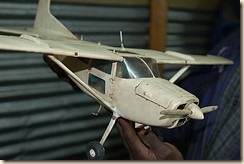
modelplane At the beginning of the year, I ask my students to list three things that they would like to learn to do. It might be rollerblading, framing pictures, knit, build a birdhouse or model airplane etc. We actually brainstorm some ideas on the board because otherwise, they will sit there and say, “I don’t know.” Once the ideas get rolling, I have them list the ones they like and pick the top three.

Then we come up with a plan on how to learn about it.

1. Research. Use the library, the internet, and talk to others who have done this.

2. Make a list of the materials you need.

3. Find out the cost of the materials.

4. How much time is involved?

5. Find written directions that give step by step instructions on the procedure.

6. Read the directions and make sure you understand all the steps.

7. Gather the materials.

8. Complete your project.

9. Evaluate the project. Did it turn out like you wanted? What could you have done differently?

10. What next? Is there another project like this you want to learn? Can this project be expanded further?

Once we agree on the plan and I approve of their project, I set aside an hour each week for everyone to work on their project. If they find out that they don’t have the money to gather their materials, they need to find another project to work on.

I have my own project that I work on at the same time. This way I can model the learning process for them. Sometimes when I hit a snag, the students help me figure out a solution. This is a great way to also model collaboration.

Every summer I would think about a new project that I would like to do during the school year. One year I wanted to learn how to juggle. Another year I wanted to learn how to crochet. I had one student who wanted to learn how to mat and frame pictures and open up his own framing store some day. Many times my students want to get involved in my project or each other’s projects. It is really fun to watch them do this.

This “Project” project is so relevant to the student’s learning. They improve their reading skills as well as math. Sometimes I ask questions about the project that make them look up the history or the science involved in the project. Using internet and Skype for their research helps the students improve their technology skills. Students are learning something they are interested in and are more motivated to learn. They also feel they have control over their learning.

Have you done this with your class? If so, how has it worked out? Do you do it differently? If so, please share.

Posted on the Successful Teaching Blog by loonyhiker (successfulteaching at gmail dot com).

Original image: 'Made From Scratch - Model Airplane'
http://www.flickr.com/photos/18288598@N00/841596864 by: Erik (HASH) Hersman


Monday, January 4, 2010

2009 Photo A Day Project

In 2009, I decided to join in the Flickr group that involves taking a photo a day (PAD). I learned a lot about myself in doing this. It was also fun trying to choose the best picture I took that day. Even my husband got involved and helped me look for things. My pictures are in my Flickr set: 2009/365.

I started to look at things in a way that I hadn’t done before. I took a lot of scenery pictures and realized that I needed to get closer. I know that most of my scenery pictures will turn out great but my close ups don’t always do that. They turn out blurry or the color is not right. Then I realized that sometimes I lead my life in the same way. I like to step back and look at the scenery of life instead of getting closer. By getting closer, it means getting committed, being more involved, and taking risks.

I also enjoyed looking at all the pictures of the year because it brought back great memories. Some things I had forgotten and it helped to remind me about some of the good things that have happened.

I learned that I need to lots of photos so that I can choose one out of the bunch. If I only take one that is the only choice I have. Again, that is the way I live my life and maybe I need to branch out. I need to take advantage of more opportunities which involves getting committed, being more involved, and taking risks.

Somehow I got the numbering messed up or I missed some days. I don’t know how all of them aren’t in this group but maybe I forgot to add them. I think I only missed three days so I’m pretty proud of myself.

I will be doing this project again in 2010 at the group: 2010/365 photos. I have some ideas for monthly themes for myself and I hope to be better organized. I have a spreadsheet that I will fill out with the title of each day’s photo so I can keep up with them. I also have a folder that I will keep them in. Maybe this will help me this year and I can actually have one for every day. If you want to give it a try, come join us!

Here is a Flickr sideshow of all my pictures from 2009. Hope you enjoy it!